Meme Maker
Creative skill, available on Zeplik
Meme Maker is a ready-to-run creative skill on Zeplik. Wants a meme made - builds classic-template meme images through the free memegen.link URL service, rendered inline in chat, plus text-based meme formats. Ask in plain language and Zeplik applies the skill's method for you inside the conversation, on whichever AI model you prefer.
The Meme Maker skill loads automatically when your request matches it, or you can invoke it directly by typing /meme-factory in any chat. It works with attachments, connectors, and any model that supports the task, so you get the same expert method every time without setting anything up.
What the Meme Maker skill can do
- Generate classic meme images rendered inline via memegen.link URLs
- Pick the best-fit template based on the joke context provided
- Encode top and bottom text correctly for special characters and spacing
- Offer text-based meme formats like greentext or nobody-me when images do not fit
Try these prompts on Zeplik
Pick a prompt to open it in the Zeplik app. If you are not signed in yet, your prompt is waiting for you the moment you do.
How the Meme Maker skill works
/meme-factory
Create memes on demand using the free memegen.link image service (rendered directly in chat via markdown) and classic text-based meme formats.
Usage
/meme-factory $ARGUMENTS
Ask what the meme should be about if not clear, pick the template that best fits the joke, then render the image inline with markdown: 
URL Structure
https://api.memegen.link/images/{template}/{top_text}/{bottom_text}.png
Example: https://api.memegen.link/images/buzz/memes/memes_everywhere.png renders Buzz Lightyear with "memes" / "memes everywhere".
Text Encoding
| Character | Encoding |
|---|---|
| Space | _ or - |
| Newline | ~n |
| Question mark | ~q |
| Percent | ~p |
| Slash | ~s |
| Hash | ~h |
| Single quote | '' |
| Double quote | "" |
Template Selection Guide
| Context | Template | Format |
|---|---|---|
| Comparing options | drake | Two-panel reject/approve |
| Celebrating wins | success | Success Kid |
| Problems being ignored | fine | Ironic "this is fine" |
| Uncertainty | fry | "Not sure if X or Y" |
| Hot take | changemind | Statement + "change my mind" |
| Ubiquitous things | buzz | "X, X everywhere" |
| Bad ideas | mordor | "One does not simply..." |
| Split priorities | distracted | Distracted boyfriend (3 texts) |
| Rare admissions | interesting | "I don't always X, but when I do" |
| Recursion jokes | yodawg | "Yo dawg, I heard you like X" |
More than 100 templates exist; if unsure a template id is valid, stick to the well-known ones above rather than guessing.
Options
- Sizing: append
?width=1200&height=630(social/Open Graph),800x600for chat apps - Layout:
?layout=topor?layout=bottomfor single-text templates - Formats:
.png(default),.jpg,.webp,.giffor animated templates - Custom background:
https://api.memegen.link/images/custom/{top}/{bottom}.png?style=<image-url>if the user provides a hosted image URL
Writing Good Meme Text
- Keep it short: 2-6 words per line; long text becomes unreadable
- Match template to the message -- the format IS half the joke
- Encode every special character or the URL breaks
- Always include the file extension
Text-Based Memes
When an image doesn't fit, offer text formats directly in the reply: greentext stories (> be me), copypasta parodies, "nobody: / me:" formats, ASCII art reactions, or fake dialogue screenshots written as quoted exchanges. Same rule applies: brevity and format-fit make the joke.
Example
User: "make a meme about my tests only failing in CI"
Response: pick fry (uncertainty) and render:
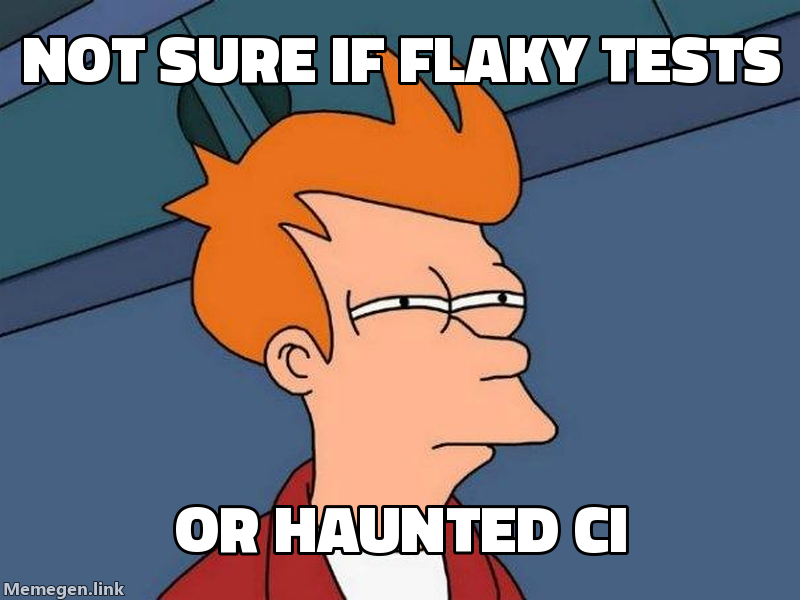
Offer 1-2 alternate templates so the user can pick the funniest framing.
How to use the Meme Maker skill
Sign in to Zeplik
Create a free Zeplik account or sign in. New accounts start with free credits, so you can try the Meme Maker skill right away.
Describe your creative task
Ask in plain language, or type /meme-factory to invoke the skill directly. Zeplik recognizes the Meme Maker skill and applies its method.
Review and refine the result
Zeplik returns a clear, structured answer. Ask follow-ups in the same chat to refine it or take the next step.
Source and credit
- Author
- davila7
- License
- MIT
Adapted from the open-source davila7/claude-code-templates project and tuned to run natively on Zeplik. View source on GitHub.
Frequently asked questions
- What is the Meme Maker skill?
- Meme Maker is a ready-to-run creative skill on Zeplik. Wants a meme made - builds classic-template meme images through the free memegen.link URL service, rendered inline in chat, plus text-based meme formats. Ask in plain language and Zeplik applies the skill's method for you inside the conversation, on whichever AI model you prefer.
- How do I use Meme Maker on Zeplik?
- Sign in to Zeplik and ask in plain language, or type /meme-factory in any chat to invoke it directly. The skill applies its method and returns a result you can refine in the same conversation.
- Which AI model does the Meme Maker skill use?
- Any model you choose. Zeplik works across every model in one chat, so the Meme Maker skill runs on your preferred model for the task.
- Where does the Meme Maker skill come from?
- The Meme Maker skill is adapted from the open-source davila7/claude-code-templates project (MIT) and tuned to run natively on Zeplik. The original source is linked on this page.
- How much does the Meme Maker skill cost?
- Using the skill is free to start. You only spend Zeplik credits when the assistant runs, and new accounts begin with free credits.
Related creative skills
- 3D Web ExperiencesUse when building 3D on the web: Three.js, React Three Fiber, WebGL, Spline, scroll-driven 3D scenes. Not for 2D browser games (use develop-web-game) or non-3D artifacts (use web-artifacts-builder).
- AI Image GenerationWrite high-quality prompts for Black Forest Labs FLUX image models - text-to-image, edit instructions, structured JSON scene prompts, exact hex colors, text rendering and multi-reference composition.
- Algorithmic Art StudioUse when the user asks for generative or algorithmic art made with code - p5.js sketches, flow fields, particle systems, seeded randomness with interactive parameter exploration.
- Explainer VideoExplain something as a video -- a narrated sequence cut on the timeline, or a self-playing drawn-on board. Not a static hand-drawn sketch (use excalidraw).
- Game Development StudioUse when designing or building games in engines like Unity, Godot, or Unreal -- mechanics, GDScript, ECS/DOTS, game systems, performance. Not for browser games built in chat (use develop-web-game).
- Image EnhancerUse when the user uploads an image to improve -- sharpness, clarity, lighting, composition, artifacts -- via analysis plus a regeneration prompt. Not for new images from scratch (use imagegen).
More on Zeplik
Try Meme Maker on Zeplik
Every model, one chat. Bring the Meme Maker skill into your next conversation and let the assistant do the work.